CBSE Class 11–12 · Computer Science (083) & Informatics Practices (065)
Learn from Scratch. Score 100/100 in Your Exam.
A complete learning ecosystem built to take you from your first concept to 100/100 in your exam. Whether you’re starting with the basics or already confident, KVCoders gives you individually curated lessons, hands-on practice and structured exam preparation to keep you progressing.
India’s Ultimate CBSE CS & IP Learning Ecosystem
For every CBSE student · Any school · Any level
Learn → Practice → Master → Score
Lessons · Python · SQL · MCQs · Output Tests · Live Challenges
Your Next Live Challenge
Four cohorts, every day — real questions, a real timer, a real leaderboard.

Class 11 Informatics Practices
12 real chapters-
01
Computer Fundamentals
Evolution of Computing Devices · Computer Organization · Software Concepts · Input and Output Devices
-
02
Memory & Data Management
Computer Memory · Data Deletion & Recovery · Security Concerns in Storage
-
03
Software Concepts
Purpose and Types of Software · Operating Systems & Language Processors · Generic vs. Specific Purpose Software
-
04
Python Fundamentals
Introduction & Execution Modes · Program Structure & Indentation · Variables & Data Types (Mutable vs. Immutable) · Variables & Data Types · Operators & Expression Evaluation · Input, Output, and Type Casting
-
05
Control Flow
Introduction to Control Flow & Indentation (Copy) · if Statement (Copy) · if-else Statement (Copy) · if-elif-else Ladder (Multi-Way Selection) (Copy) · The while Loop · The for Loop & range()
-
06
List In Python
Introduction & Creating Lists · List Operations & Traversal · Adding & Modifying Elements · Deleting Elements · Built-in Functions & Sorting · Searching & Counting · Nested Lists & Suggested Programs
-
07
Dictionary In Python
Introduction & Creation of Dictionary · Accessing & Modifying Data · Dictionary Built-in Functions (Part-1) · Dictionary Built-in Functions (Part-2)
-
08
Introduction to NumPy
Introduction to NumPy & The ndarray Concept · Environment Setup & Array Properties · Creation of NumPy Arrays from Lists
-
09
Database Concepts & The Need for DBMS
Introduction to Database · The Relational Data Model & Key Terminology · Database Keys (Candidate, Primary, and Alternate)
-
10
Structured Query Language (SQL)
Introduction to SQL & Command Architecture · Data Definition - CREATE (Database & Table) · Data Definition - ALTER & DROP · Data Manipulation - INSERT, UPDATE, DELETE · Data Query - SELECT, FROM, WHERE · Advanced Filtering - BETWEEN, IN, LIKE, NULL · Logical Operators (AND, OR, NOT)
-
11
Intelligent & Immersive Tech
AI, Machine Learning & NLP · Immersive Experiences & Robotics
-
12
Data & Connectivity
Big Data & Internet of Things (IoT) · Cloud Computing & Blockchain
Learn + Revise
Every chapter, taught before it's tested.
Concept videos, chapter notes, and a growing resource library — mapped to the exact same syllabus structure as the Workspace above.
Video lessons for this subject are being added. Browse all Video Lectures →
-
Concept notes for every chapter, structured the same way the board exam expects the answer.
-
Concept-first videos for every chapter across Class 11–12 CS & IP.
-
Notes, marking schemes, and project references in one searchable place.
-
Real board, sample, and pre-board papers, ready to download and practice offline.
KVCoders Lab
Python. SQL. MCQ. See it work.
Real questions from the real KVCoders practice banks — try them right here, free, no account needed.
> What does this print?
# This is the real SQL Arena interface — run real queries against real schemas at the link below.
Real MCQ questions for this subject are loading. Start practicing free →
Real Exam Preparation
Board, sample, and pre-board questions — searchable by topic.
2,791+ real past-year questions, tagged by chapter and topic, free to preview without an account.
-
Searchable, topic-tagged questionsFind exactly what you need to revise, not a whole paper.
-
Downloadable papers & marking schemesFull papers are available in the Resource Library.
After You Practice
Every score, tracked. Every weak chapter, named.
Register once, and every MCQ, Output, SQL, and Live Test attempt builds a real performance record — not just a running total, an actual picture of where you stand.
View Your Progress-
Practice StreakTracks how many days in a row you've practiced.
-
Strong & Weak TopicsSurfaces exactly which chapters need more work, from your real scores.
-
Performance TrendShows whether your scores are actually improving over time.
-
Test & Practice HistoryEvery MCQ, Output, and Live Test attempt, in one place.
Built by real CBSE CS/IP teachers, with real board questions tagged by topic. Class 11 & 12 Computer Science and Informatics Practices — MCQ, Output, SQL and Python, all in one real place.
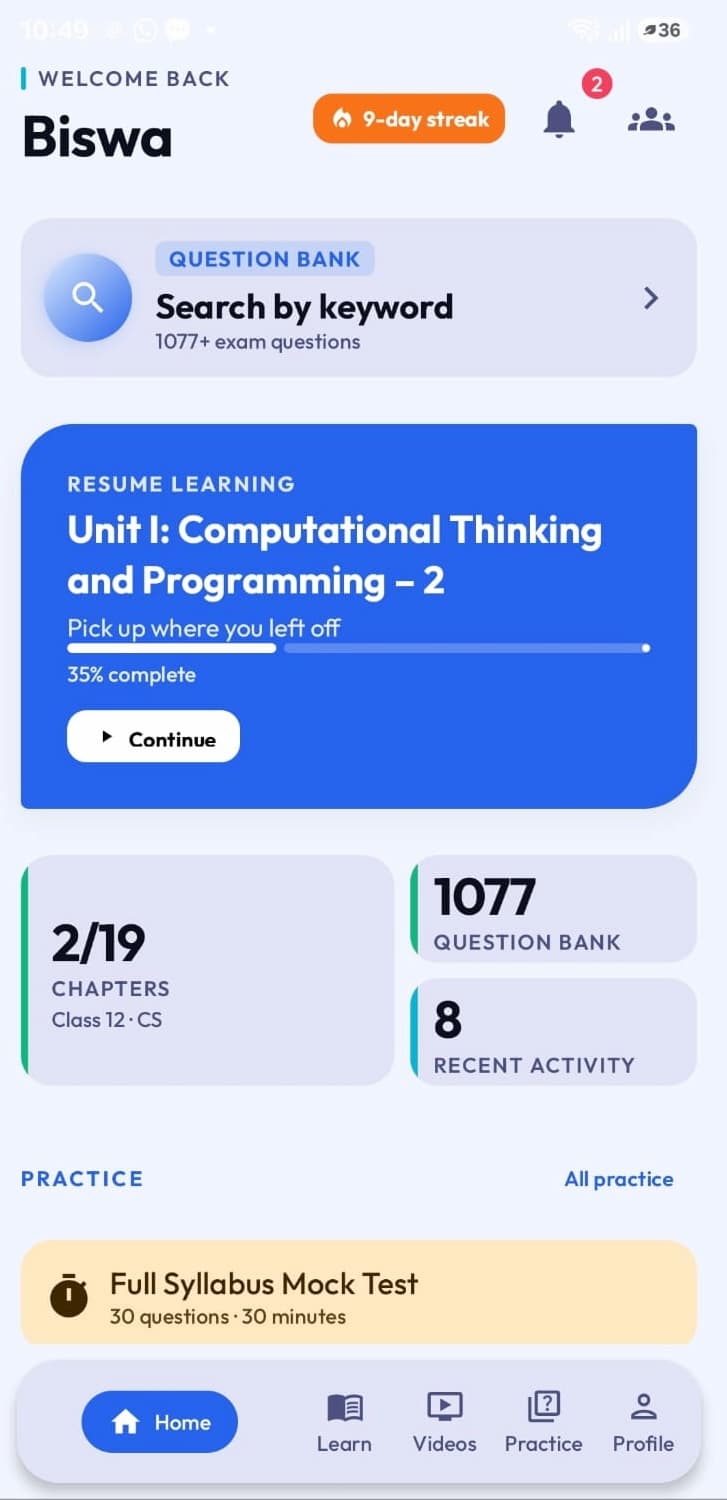
Also on Android
The same real KVCoders, in your pocket.
Learning, practice, and Live Challenges continue exactly where you left them — on the exact same account.
-
Course progress carries overPick up the exact lesson or chapter you left on the web.
-
MCQ & Output practice, on the goThe same real questions, scored the same way.
-
Join Live Challenges from anywhereReal-time, timed tests, right from your phone.
-
Question Bank searchSearch real board & sample papers on the move.
Frequently Asked Questions
Is KV Coders free to use?
Yes. Lessons, videos, and practice tools (MCQs, Output Questions, SQL Arena, Python IDE) are open to everyone. Registering unlocks progress tracking and full PYQ Search.
Are the questions real CBSE board papers?
Yes. PYQ Search is built from real Board, Sample, and Pre-Board papers, tagged by exact topic.
Do I need to register to start learning?
No. Lessons, videos, notes, and practice tools are open without an account. Registration is only needed for full PYQ Search and progress tracking.
Is there a Python IDE and SQL practice included?
Yes -- a built-in Python editor and a full SQL Arena are both free to use, no registration required.
What you get when you register
Guest access lets you try every tool. An account unlocks the guidance built around them.